탑메뉴




Use of reading room seats
Mobile Facility Use Guide
- The Kunsan University Library operates mobile service for a smooth facility use among users. The HwangRyong library facility is available comfortably and conveniently through a smart phone. It is possible to apply for seats issuing, group study room reservation, and carrel reservation through mobile app.
- Mobile App Download
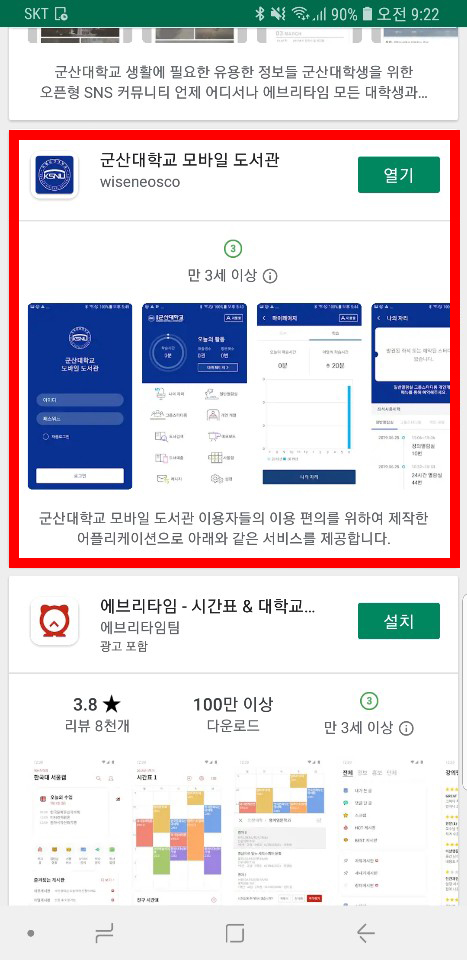
- ① Search "Kunsan University Mobile Library" in the market, and download
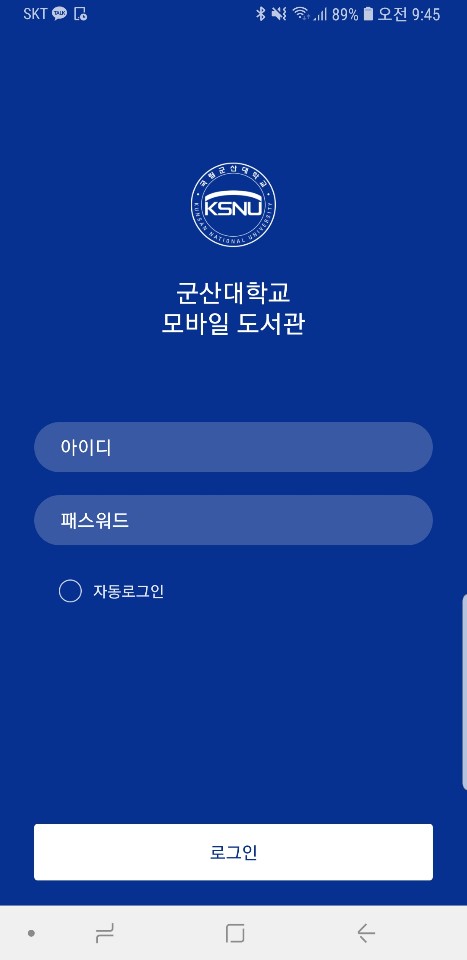
- ② Log in with Library ID and Password
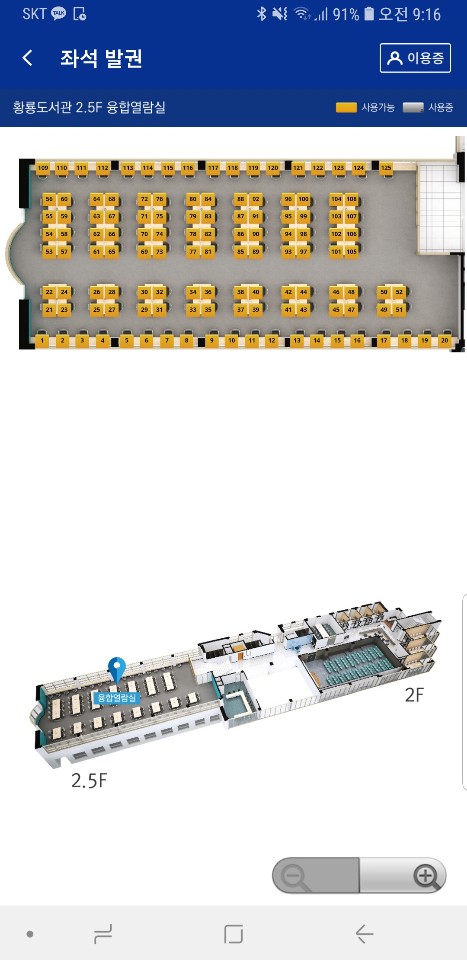
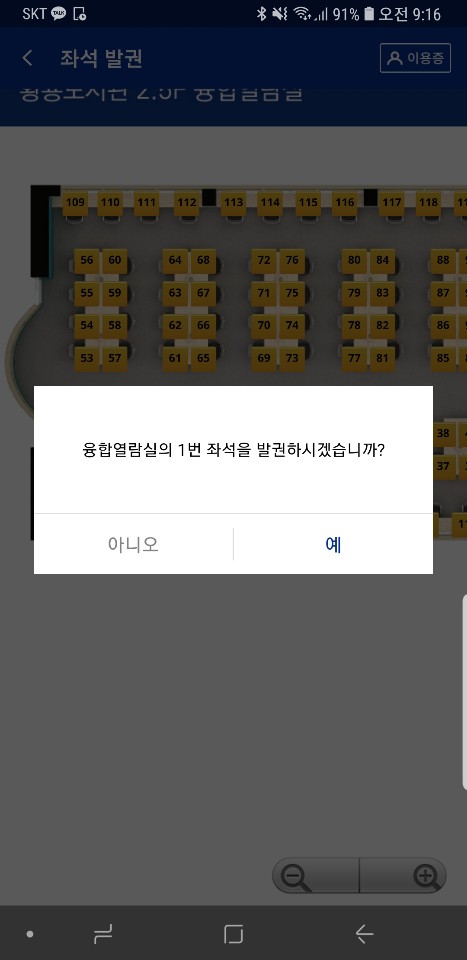
- Reading Seat Ticketing
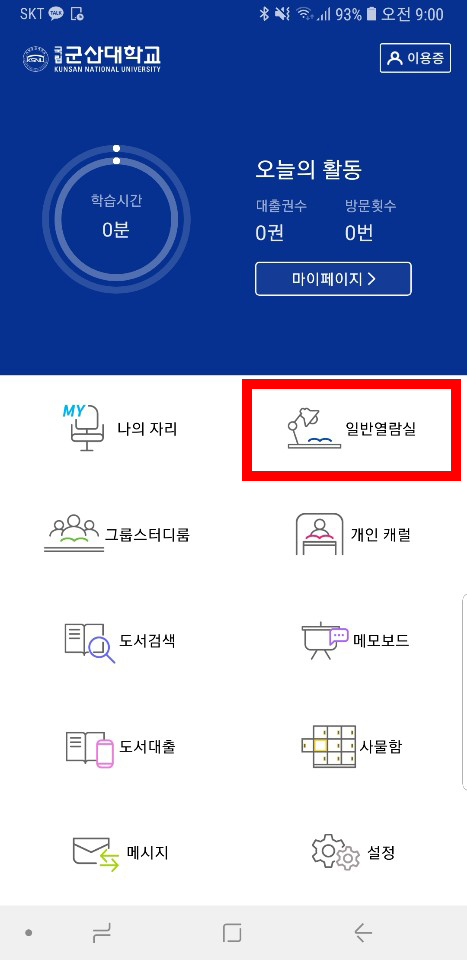
- ① Select general reading room in the menu
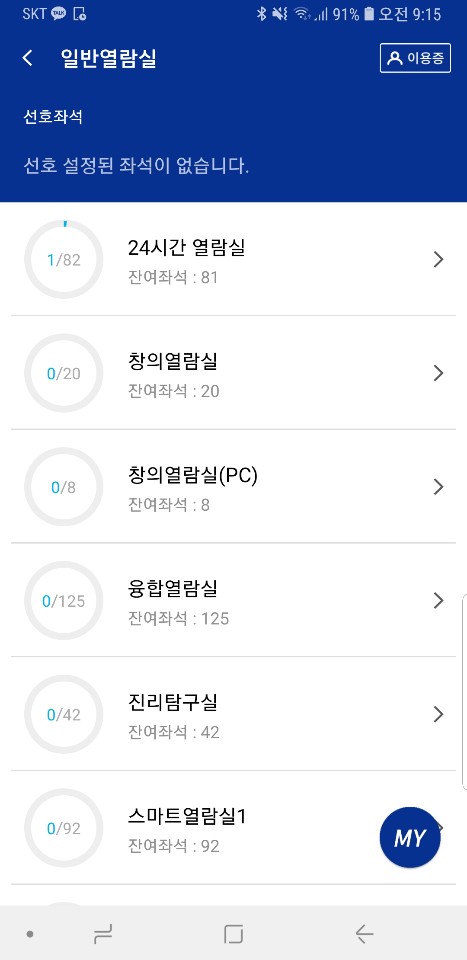
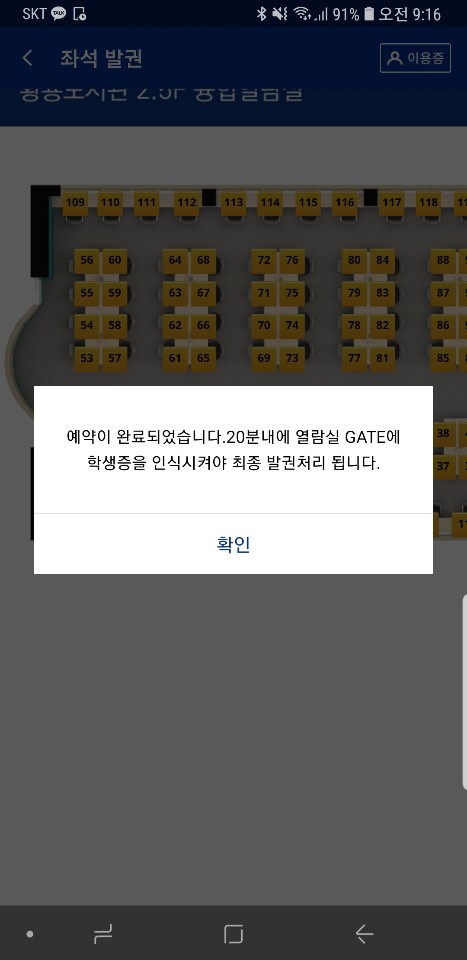
- ② Select and ticketing the desired room and seat, and certify the HwangRyong Library access within 20 minutes, then use it.
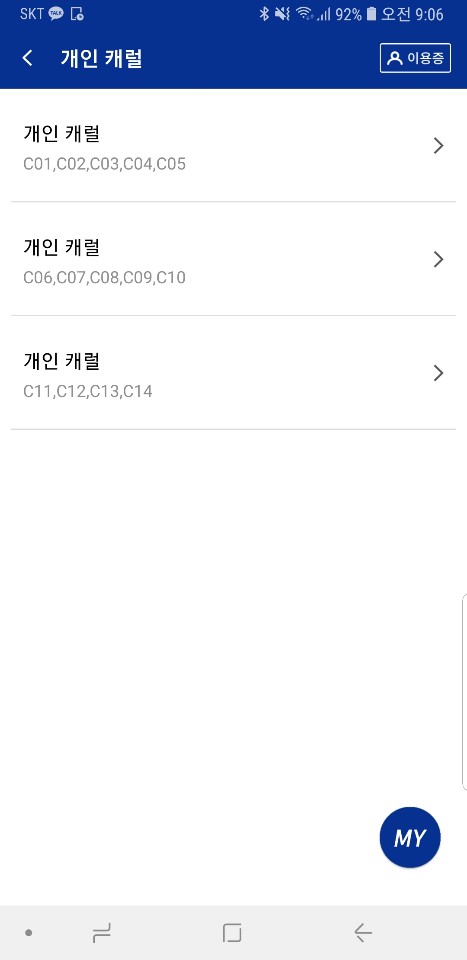
- Carrel (Individual Room) Reservation
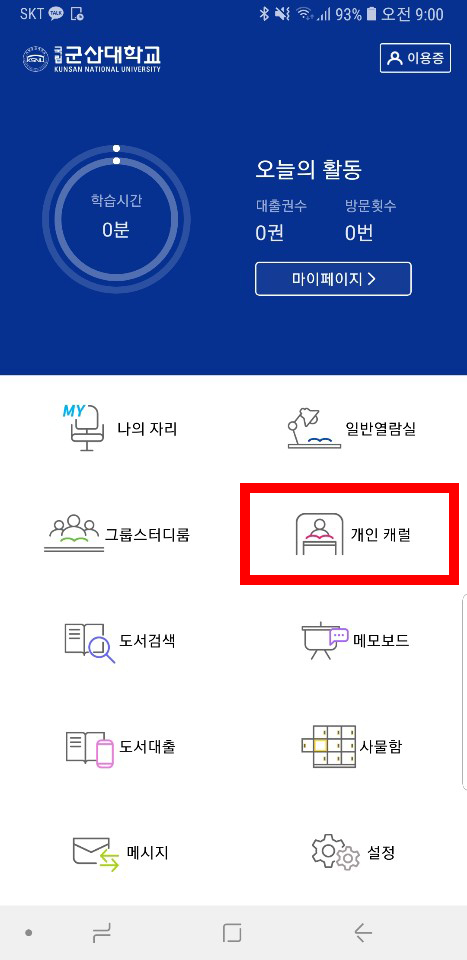
- ① Select personal carrel in the menu
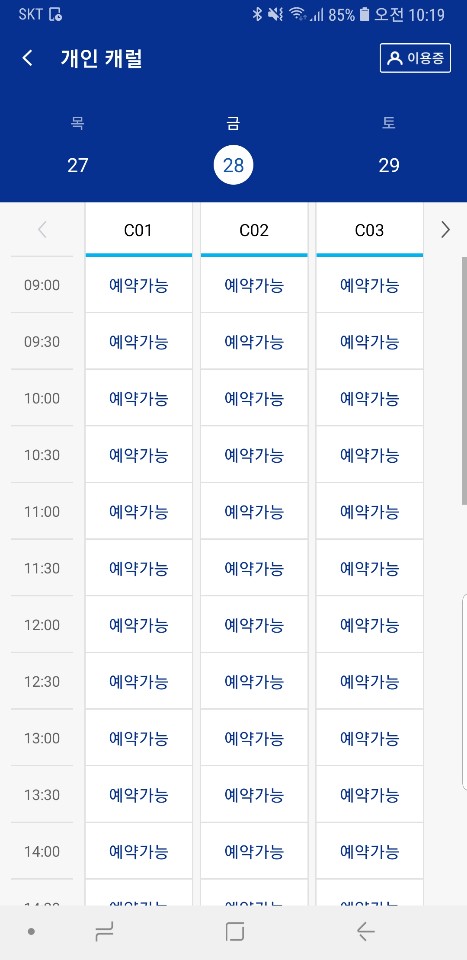
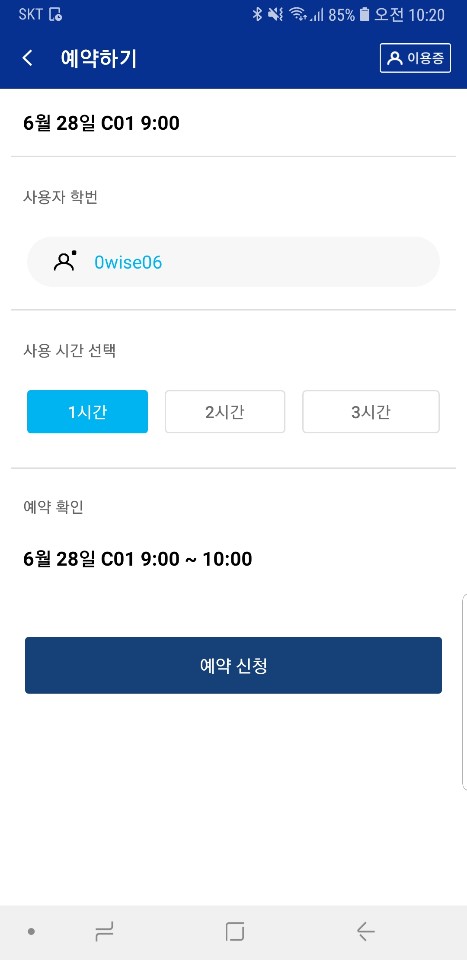
- ② Reservation Application after selecting the desired room and time.
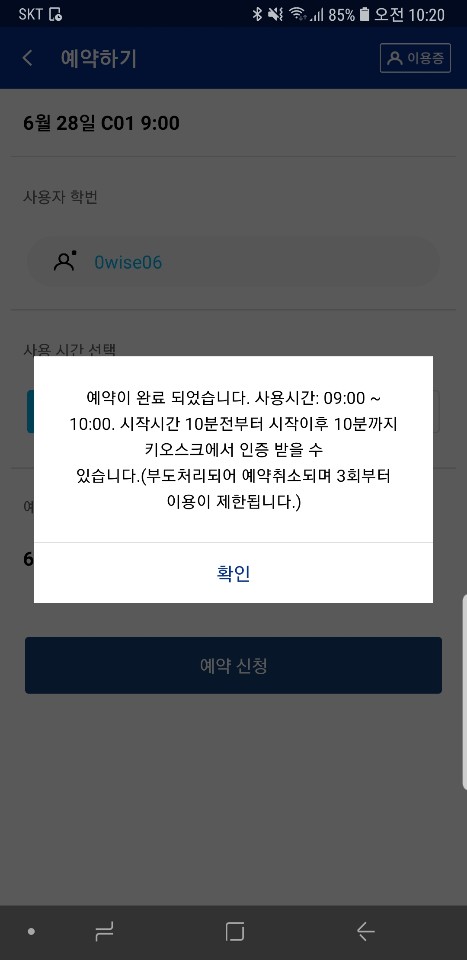
- ③ After the completion of reservation, use the carrel after certification at the kiosk inside the HwangRyong Library.


[54150] 558, Daehak-ro, Gunsan-si, Jeollabuk-do, Korea TEL:063-469-4179~4180
Copyright(c) 2016. Kunsan national University Library. All rights reserved.